Google Gemini Navratri Retro Ai Photo:Currently, new styles of Garba Navratri dress photos are trending heavily on social media. This means that as Navratri approaches, people are increasingly seeing this trend. If you want to create an AI photo in a Navratri Garba dress, you’ve come to the right place. You’ll find complete details below, so be sure to read the article to the end.
Google Gemini Navratri Garba AI Photo Editing
Right now, Navratri Garba dresses are going viral on social media in unique and new styles, with everyone busy creating AI photos of themselves in Navratri dresses, which are trending on social media. If you also want to create AI photos like this, we’ve provided several prompts below that you can copy and create in one click from the Gemini website.
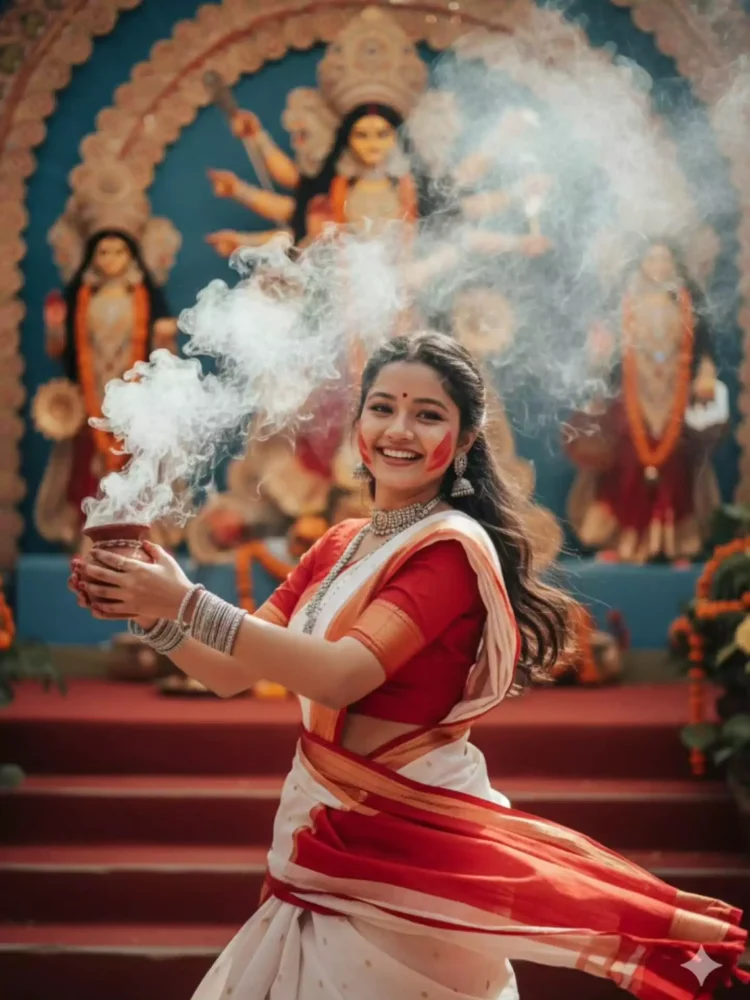
Generate an ultra realistic 8K image using the uploaded person’s face, perfectly blended into the body, pose, clothes, and background of this scene: a joyful girl in a red and white saree dancing with a clay incense pot (dhunuchi) in her hand, festive gulaal marks on her cheeks, silver jewelry and bangles. Smoke rises around her with a blurred Durga idol in the background, red stairs, traditional Durga Puja setting. Replace only the face with the uploaded image, keep everything else exactly the same, DSLR festival photography style.”
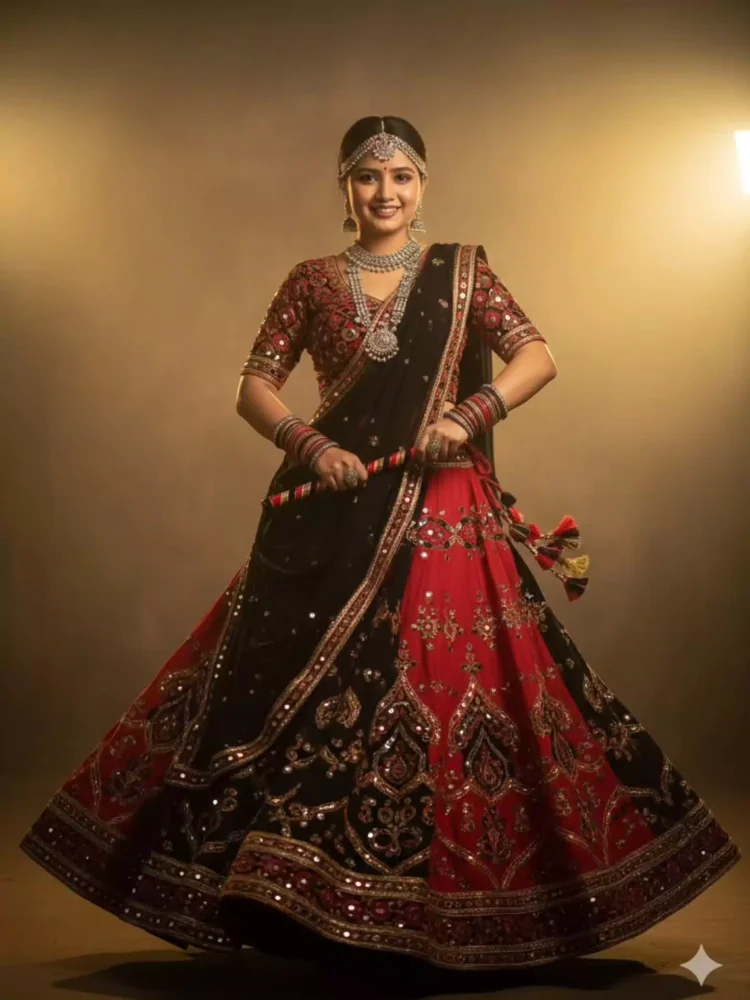
A highly realistic cinematic full-body portrait of a young Gujarati woman wearing a stunning dual-tone Garba outfit. The chaniya choli is designed in deep black and rich red, with intricate mirror work, traditional embroidery, and a flowing black dupatta lined with golden borders, in authentic Gujarati style. The lehenga has detailed patterns and flares gracefully, creating movement. She is adorned with oxidized silver jewelry – bangles, kada, jhumka earrings, maang tikka, and a statement necklace adding a festive Gujarati charm. In her hands, she holds a pair of decorative Garba dandiya sticks in black and red tones. The background is cinematic, inspired by soft golden light and dramatic shadows (similar to the uploaded reference images), giving depth and mood holding dandiya sticks. The overall atmosphere is professional, and festive, with warm tones, soft light, and subtle film grain – capturing the essence of Navratri in a Gujarati cultural photoshoot.
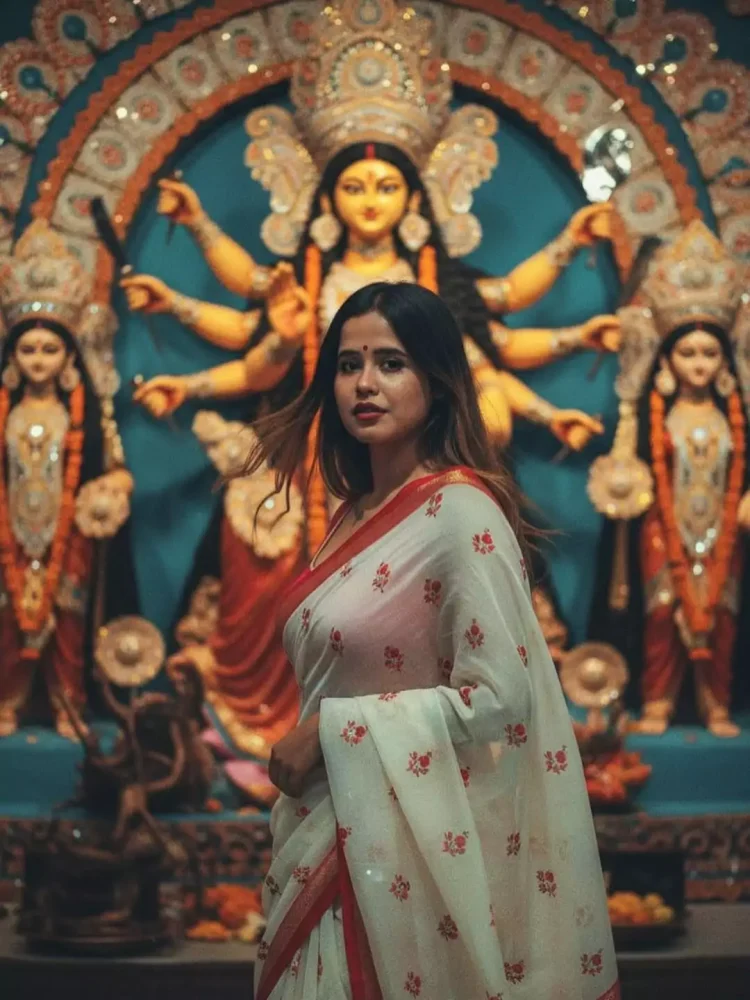
Generate a retro vintage grainy yet bright cinematic portrait using the uploaded person’s face (no changes, keep 100% same). The girl is draped in a perfect off-white saree with a bold red border and small red prints, styled in a Pinterest-aesthetic way. She holds a glowing diya in her hand, standing in front of a Durga Maa statue inside a festive pandal. The atmosphere feels like a 90’s Bollywood movie baddie- straight wavy hair blowing in the wind, dramatic contrast, soft romantic lighting with mysterious shadows, and an artistic dreamy vibe. Add film-like texture and subtle cinematic grain to enhance the nostalgic mood.”
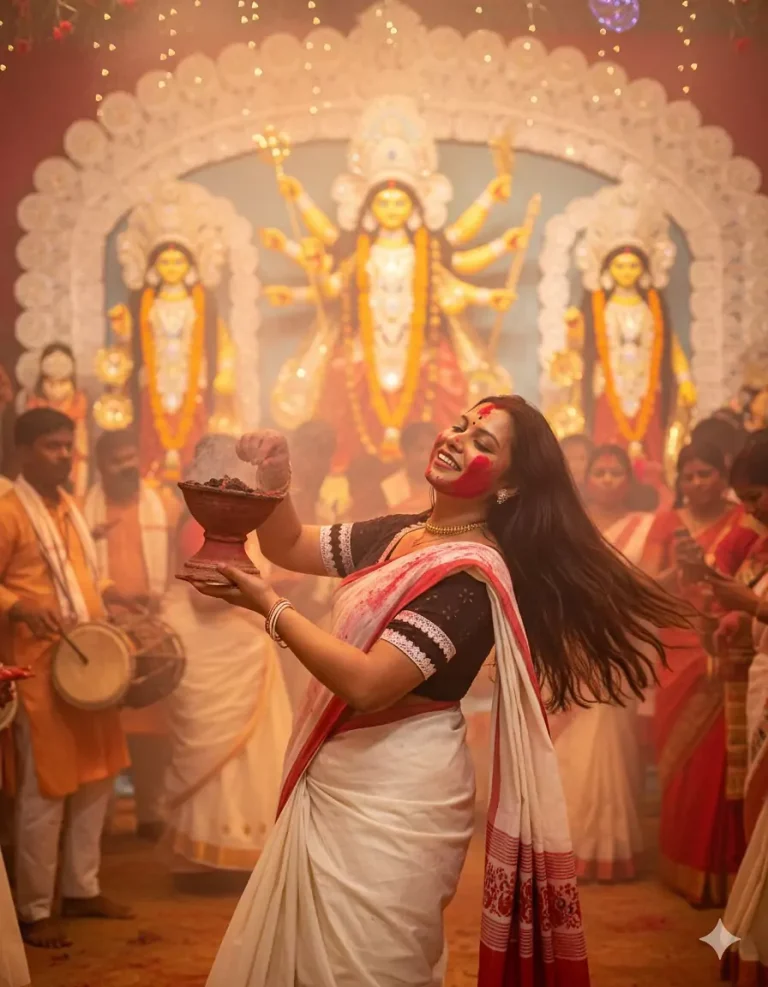
Turn my picture to the Bengali girl is wearing red border white saree. she is enjoying kolkata durga puja and dancing dhunuchi nach in front of the Ma durga. ma a proper kolkata durga puja sindur khela vibe.
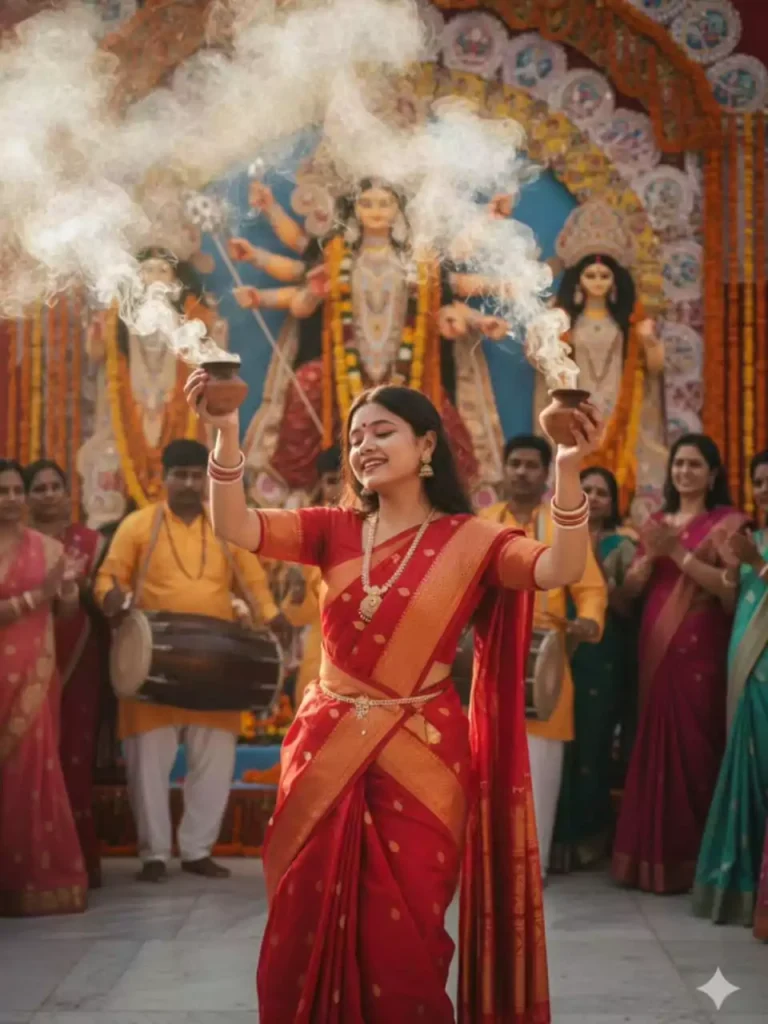
Create an ultra-realistic 8K image of a uploaded young Indian woman performing Dhunuchi Naach during Durga Puja. She is wearing a traditional red saree with golden borders, silver bangles, and festive jewelry. She holds a clay incense pot (dhunuchi) in both hands with smoke rising gracefully around her. Her expression is joyful, immersed in devotion, as she dances in front of a grand Durga idol decorated with flowers and garlands. Behind her, drummers and women in colorful sarees are watching, creating a festive and vibrant atmosphere. Natural soft sunlight enhances the smoke and golden tones of the scene.”
How to select photos?
So, if you also want to create photos in a Navratri Garba dress, you’ll see a number of prompts. Along with this, a photo of how the photo will be created is also provided. You can view it, select a photo of your choice, and then go to the gimini website to create a Navratri Garba dress photo.
How to use Google Gemini Navratri Garba AI photo editing
First, copy the prompts from our website for how you want to create the photo. Then, open the gimini website on Google. Add your face photo. After that, add the copied prompts and click the button below. After that, the Navratri Garba photo will begin to be created and will be ready after a short while.